
SIHOO
SIHOO M57 Ergonomic Mesh Office Chair, High Back Home Desk Chair with 3D Armrests, Lumbar Support and Adjustable Headrest, Comfortable Computer Chair, Big & Tall Office Chair Hold 330 LBS-Black
Excellent
In stock on Amazon.com
How-To Guide
Where your screen sits decides where your head and neck sit. This guide gives the distance, height and angle guidance from OSHA and Cornell, explains how your chair's recline and height change the picture, and offers a quick setup routine.
As an Amazon Associate I earn from qualifying purchases. We have not physically tested these chairs; scores come from manufacturer and Amazon specifications.
Top Pick
SIHOO
In stock on Amazon.com
Runner-Up
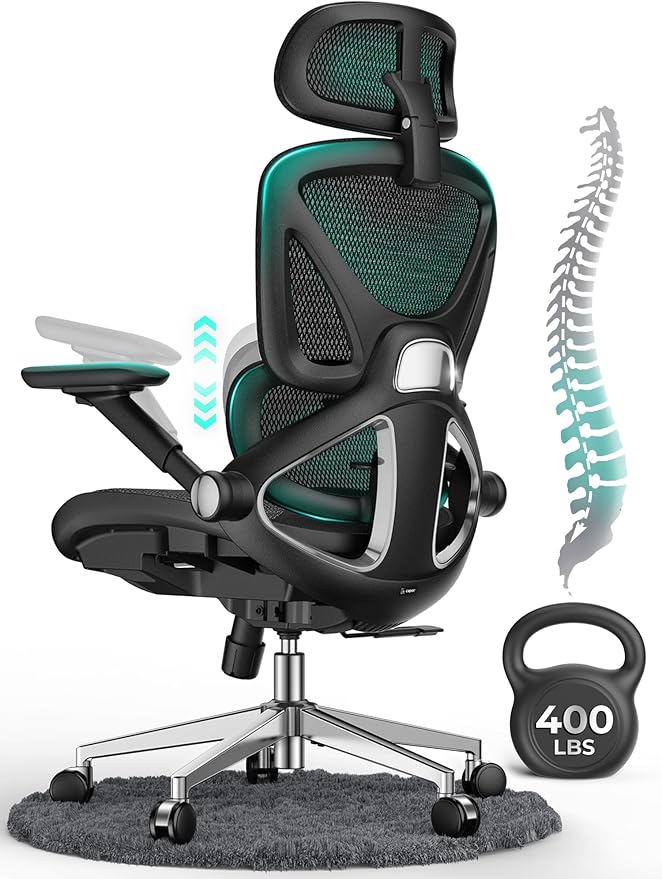
CAPOT
In stock on Amazon.com
Strong Option

ELABEST
In stock on Amazon.com
Amazon.com data updated October 13, 2026, 2:34 pm ET. Price and availability are accurate as of the time indicated and are subject to change. Any price and availability information displayed on Amazon.com at the time of purchase will apply.
OSHA states that the preferred viewing distance is between 20 and 40 inches, and its quick tips advise at least 20 inches. Cornell University suggests roughly an arm's length; its check is to sit back and raise your arm until your fingers touch the screen.
If text is too small at that range, enlarge the text in software instead of moving closer.
OSHA says the top of the screen should be at or slightly below eye level, with the screen's center about 15 to 20 degrees below horizontal eye level. Cornell gives a similar picture: eyes aligned with a point about 2 to 3 inches below the top of the monitor casing, and the center about 17 to 18 degrees below horizontal.
OSHA also advises tilting the screen no more than about 10 to 20 degrees.
OSHA notes that bifocal wearers often view the screen through the lower part of the lens and tip their heads back. Its suggestions are to lower the monitor, raise the chair or use single-vision lenses made for computer work. Cornell separately suggests having your eyes checked periodically.
Reclining changes your distance to the screen, so a setup made for upright sitting deserves a second look. Cornell recommends reclining around 100 to 110 degrees, so re-check distance after setting the backrest. OSHA's position guidance lists reclined sitting at 105 to 120 degrees between torso and thighs.
OSHA gives 20 to 40 inches as the preferred range. Cornell suggests about an arm's length.
OSHA says the top of the screen should be at or slightly below eye level, which tilts your gaze gently downward.
The sources give no separate rule for large screens, so the same 20 to 40 inch distance and the same angle guidance apply.
OSHA suggests lowering the monitor, raising the chair or using single-vision computer lenses, and a visit to an eye care professional can help.
| # | Chair | Ergo Score | Price | Back | Armrests | Weight capacity | Buy |
|---|---|---|---|---|---|---|---|
| 1 | $199.99 | Mesh | 3D adjustable | 330 lb | Check Price | ||
| 2 | $199.99 | Mesh | 4D adjustable | 400 lb | Check Price | ||
| 3 | $349.99 | Mesh | 4D adjustable | 300 lb | Check Price | ||
| 4 | $399.99 | Plastic | 4D adjustable | 551 lb | Check Price | ||
| 5 | $179.99 | Mesh | 3D adjustable | Not listed by the seller | Check Price | ||
| 6 | $329.99 | Mesh | 3D adjustable | 275 lb | Check Price | ||
| 7 | $199.99 | Mesh | 3D adjustable | Not listed by the seller | Check Price | ||
| 8 | $239.99 | Not listed by the seller | 3D adjustable | 300 lb | Check Price |
Amazon.com data updated October 13, 2026, 2:34 pm ET. Price and availability are accurate as of the time indicated and are subject to change. Any price and availability information displayed on Amazon.com at the time of purchase will apply.
Chairs are ranked by Ergo Score, computed from manufacturer and Amazon specifications with the same published formula for every chair (how we rate). Specifications and prices come from the Amazon.com listings, checked on October 13, 2026, 2:34 pm ET. We have not physically tested these chairs.
As an Amazon Associate I earn from qualifying purchases. We have not physically tested these chairs; scores come from manufacturer and Amazon specifications.


